How to manage agent sessions from your phone
(updated July 22nd)Workflow
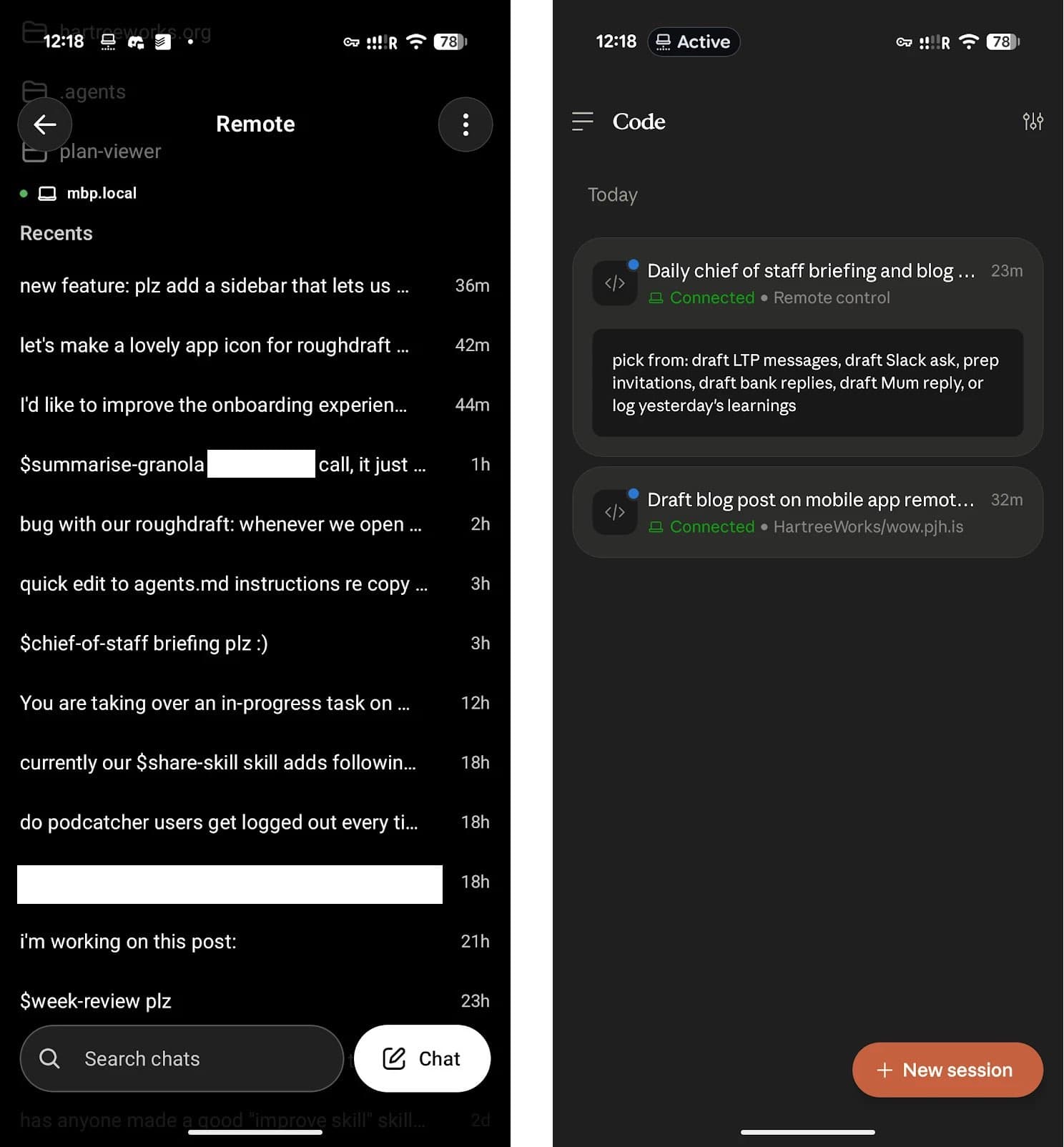
If you’re using Codex or Claude Code on your Mac—whether via the desktop apps or the CLIs—the ChatGPT and Claude mobile apps can manage your agent sessions.
These features have been around for a while, but they’ve improved since early June.
The ChatGPT-to-Codex implementation is much better than Claude’s, because:
- You can start new chats in any folder on your machine.
- You can see all past chat sessions, not just active ones.
- The connection is less flaky.
- Other “it just works” stuff, where Claude currently gets blocked.
To get set up, just pair your device.1
One thing: you have to keep the desktop apps open, even if you’re actually just working with the CLIs.
See also: how to keep agents running while your MacBook is in your bag.
Footnotes
In Codex, all sessions are reachable on mobile by default. For Claude Code, you enable it per session with the
/remote-controlcommand, or for all sessions by adding"remoteControlAtStartup": trueto yoursettings.json. ↩