Claude Code does my bookkeeping
Last week, I asked Claude Code to handle my company’s annual bookkeeping.
My accountant sent a 37-question checklist, including bank reconciliation, expense categorisation, and various other accounting checks. Most of this work was handled by Claude, with just an hour of input from me.
I’ve previously tried delegating this work to a human bookkeeper. Claude did a better job, with less effort from me, at a fraction of the cost.
My involvement was mainly:
- Reviewing Claude’s work.
- Providing context that was in my head, not written down in email, Google Docs, or elsewhere.
- A couple of manual tasks to overcome mundane obstacles (e.g. Claude refuses to take any actions on banking websites, so I had to download the statements).
- Several nudges to use the Xero API instead of Chrome browser tool, to greatly speed up the process.
- Help log in to Xero (Claude managed it independently a few times, but then got stuck and I felt it’d be mean to just say “try harder”).
I sent Claude 80 messages during the process. Roughly half were under 10 words long—a lot of “yes please”, “sounds good”, or “yeah that line is for a coworking space”.
In total, I spent about an hour supporting Claude’s work. Claude multiplied matrices for 8 hours. Of course, I wasn’t sitting there waiting—just working on other things, and replying when it checked in. It felt a bit like working with someone on Slack. Overall: a decent upgrade on my next best alternative—me spending 3-6 hours on it. 1
Below I’ll share some more colour on how things went.
Getting started
HartreeWorks LTD is a small UK company, with accounts kept in Xero. Each year, my accountant sends a checklist via the Xero portal:
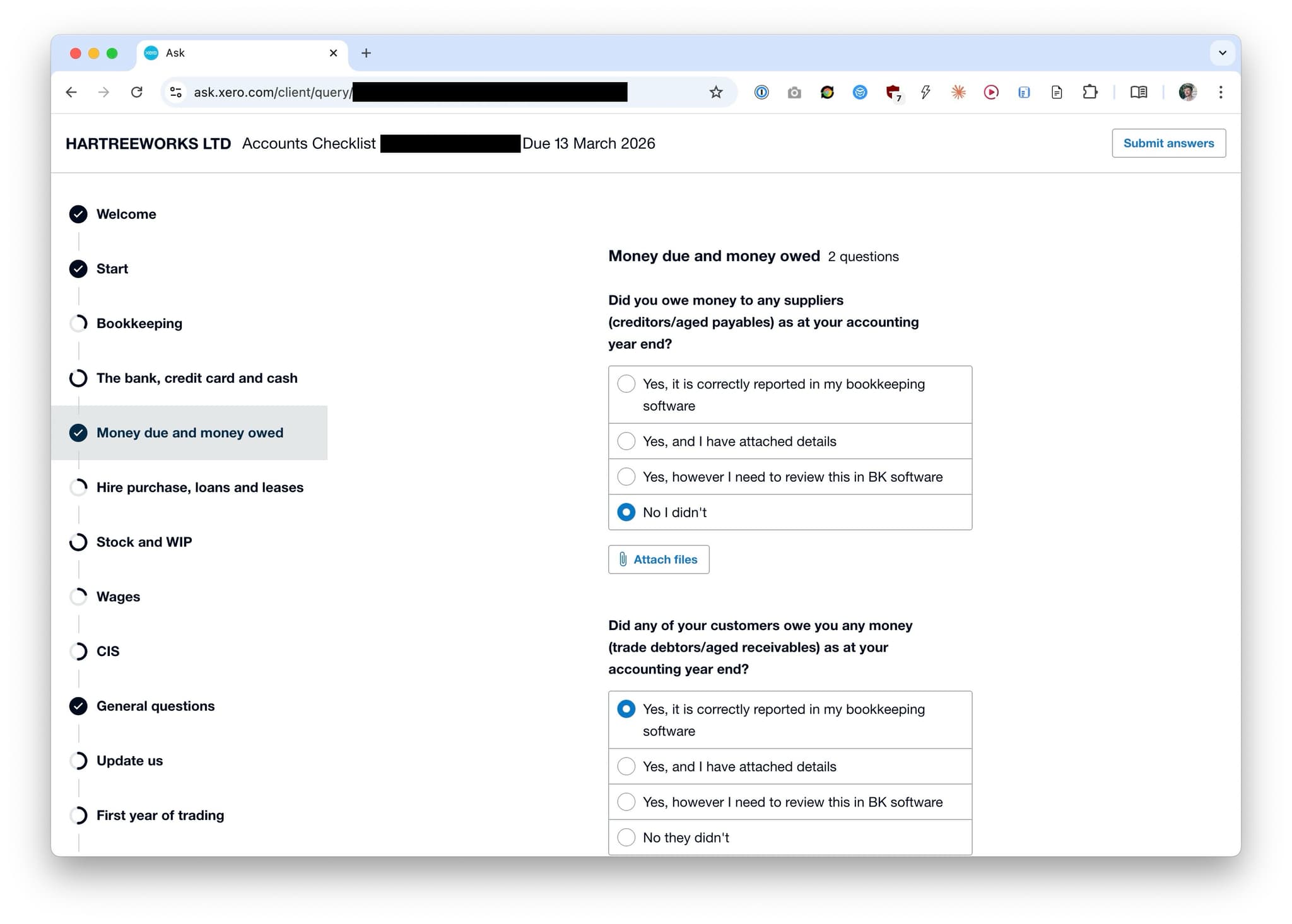
I opened Claude Code and said: do as much of this as possible with minimum input from me.
The starting prompt: 2
We need to do my Xero accounts for HartreeWorks LTD, and also any of the other tasks that my accountant requests. I’d like to delegate this entire project of completing the 2025-2026 accounts to you.
You already have a Xero invoicing skill, so that gives you API credentials. I also have some Xero shortcut utilities in the “PH mods” browser extension, which should speed up some browser use tasks. There are some things I could do myself more quickly than you can, but I’d really like you to try to own this task end-to-end and just see how far we can get.
You can ask if you need info from me. But please do your best to figure everything without asking me, e.g. by searching my email and Google Drive.
Please make a plan.
My existing invoicing skill gave us a head start—no need to set up API keys.
Claude makes a plan
To make the plan, Claude:
- Searched my Gmail to find the accountant’s name, firm, and email.
- Found the checklist email, opened the checklist portal, logged in, and scraped the 37 checklist items.
- Queried Companies House to verify the accounting year-end date.
- Pulled 39 invoices and the full balance sheet via the Xero API.
The plan it wrote:
Reconciliation
The main task was reconciling ~200 bank statement lines across seven different bank accounts with multiple currencies.
Claude created transactions via the Xero API, but then hit an obstacle: the API does not let you reconcile against bank feed entries. You have to open the web app and click “OK” to confirm every reconciliation. Claude opened up a browser and began, dutifully, to do this.
Intervention: I ran into this ridiculous “OK OK OK” issue many years ago, and wrote a script to fix it. I reminded Claude that the script is now part of my personal browser extension, and it used the extension to save itself hours of clicking (browser use is quite slow, for now).
I am not sure if Claude would have independently paused after a while to ask itself “is there a quicker way?” or just kept pushing on. If I had asked “is there a quicker way?” I expect it would have thought of the “script it” solution.
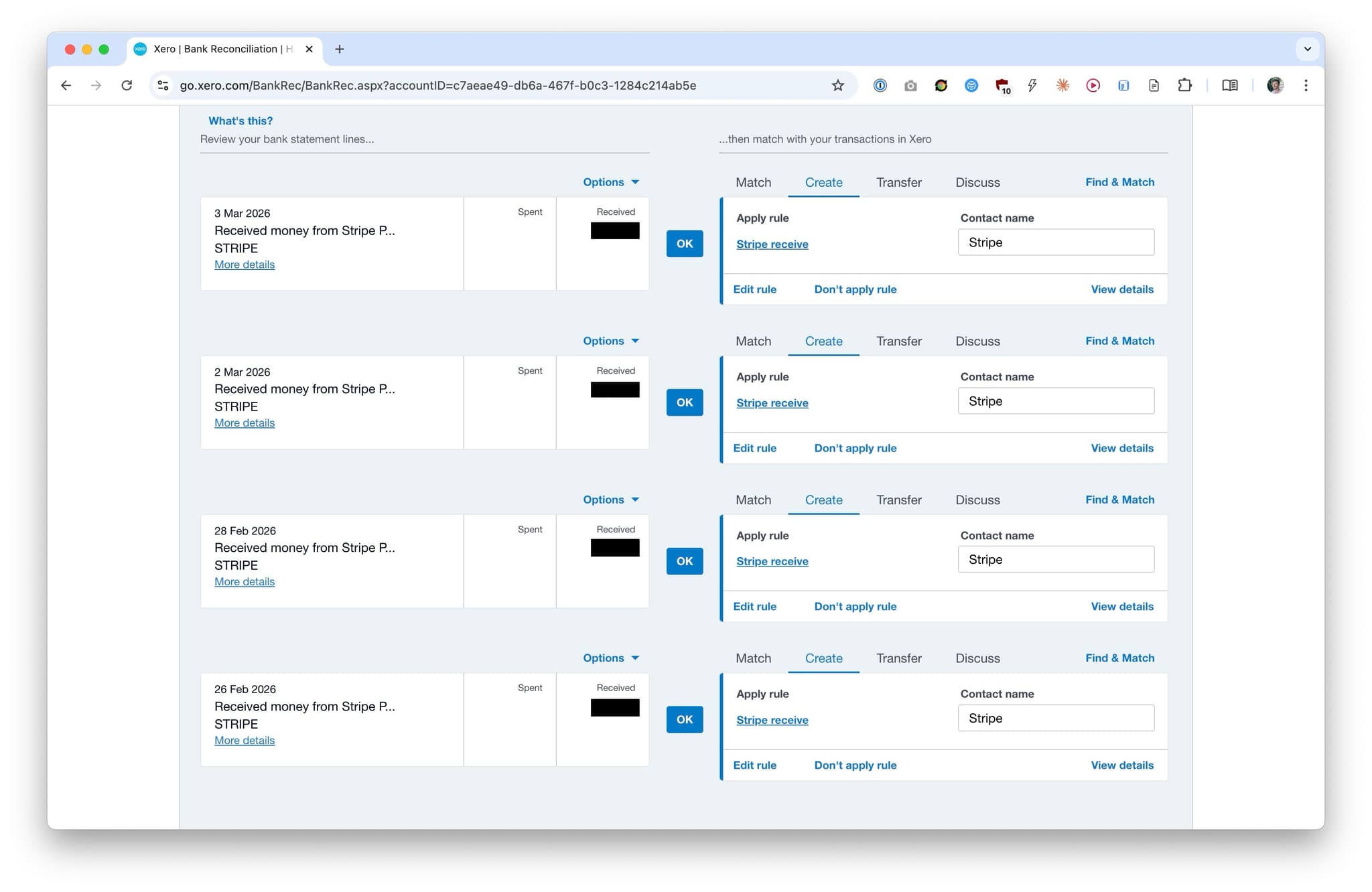
Xero automatically matches lines using rules I've configured. But it then makes me click 'ok' to confirm every match. A bookkeeper for a larger company would have to do this thousands of times. And yes, people have been complaining for more than a decade. 😫
Multi-currency accounting is a bit tricky, because you need to record the exchange rate on the day of transactions that include FX, and rate fluctuations cause minor discrepancies in the books. For the affected transactions, Claude entered the correct exchange rates and completed the “minor adjustment” fields as required, without trouble.
A ~£5,000 balance discrepancy emerged after the initial reconciliation round. Claude diagnosed and fixed the issue. It was caused by two mistakes I’d made earlier in the year. It’d have taken me 15-30 minutes to figure this out, including an exchange with my accountant.
P&L recategorisation
In news that will surprise nobody: I like to 80:20 my accounts. I’ve made automatic rules to put roughly all non-capital expenditure into “Software and consumables” or “General Expenses”. My accountant has complained about this in the past, pushing me to do a better job on the largest transactions. Claude went through and did a proper job on everything.
The company has several distinct activities, so in theory I track revenue to separate accounts for each activity. In practice I’ve been very slapdash about this in the past, because it’s too much faff. Claude went through and did this properly, and I found it slightly useful to see the proper breakdown.
Accountant questionnaire
Claude categorised the 37 checklist questions into “can answer directly”, “needs Xero data”, and “needs Peter’s input”—then asked me the 15 questions it couldn’t answer. It helped me answer a couple where I was unsure. And then it filled out the form, using Chrome.
By the numbers
| Metric | Count |
|---|---|
| My conversation turns | 80 (of which 37 fewer than 10 words) |
| Claude’s active work time | ~8 hours |
| Bank transactions created and reconciled | 169 |
| Bank transfers created and reconciled | 10 |
| “Remove and redo” operations (to fix existing errors) | 17 |
| P&L line items recategorised | 50 |
| Checklist questions filled | 37 |
| Emails sent | 1 |
Chrome computer tool calls | ~700 |
Takeaways
Claude did a great job of gathering context. It understood accounting logic well, and advised me on bits I’m hazy on. On expense categorisation, it did a much better job than I would have bothered to do.
The main challenge: Claude browser use works well, but it’s slow. I expect it’ll be faster than human by the end of this year. Meantime, if you’re comfortable on the command line, it’s pretty easy to enable superhuman browser use for most tasks if you ask Claude to script it. 3
If I didn’t have a technical background, this experiment in ambitious delegation would probably have failed to save me time. It was critical to know what an API is, what is possible via scripting, and how things might go wrong. In general: if you want to manage a human, it helps to understand their job. For now, that’s still true of AIs.
Dwarkesh’s prediction is too bearish—I’m at 30% on 2026, and 70% for 2027.
Footnotes
A great notification setup is crucial, just like when you manage human directs. ↩
Tidied for clarity—originally a voice dictation. ↩
The approach: ask Claude to do the task with Chrome and to record all the actions it takes. Then have it write a Playwright script or browser extension to handle all the deterministic steps next time. People are sleeping on this. ↩